Secure Payment
Make a Payment
Scan the QR code with any UPI app — or transfer to the bank account shown — then submit the transaction reference below. Our team verifies every payment before your booking is confirmed.
Step 2 — Payment
Pay by UPI or bank transfer, then confirm below
Scan the QR with any UPI app (GPay, PhonePe, Paytm, BHIM) and pay the exact consultation amount.
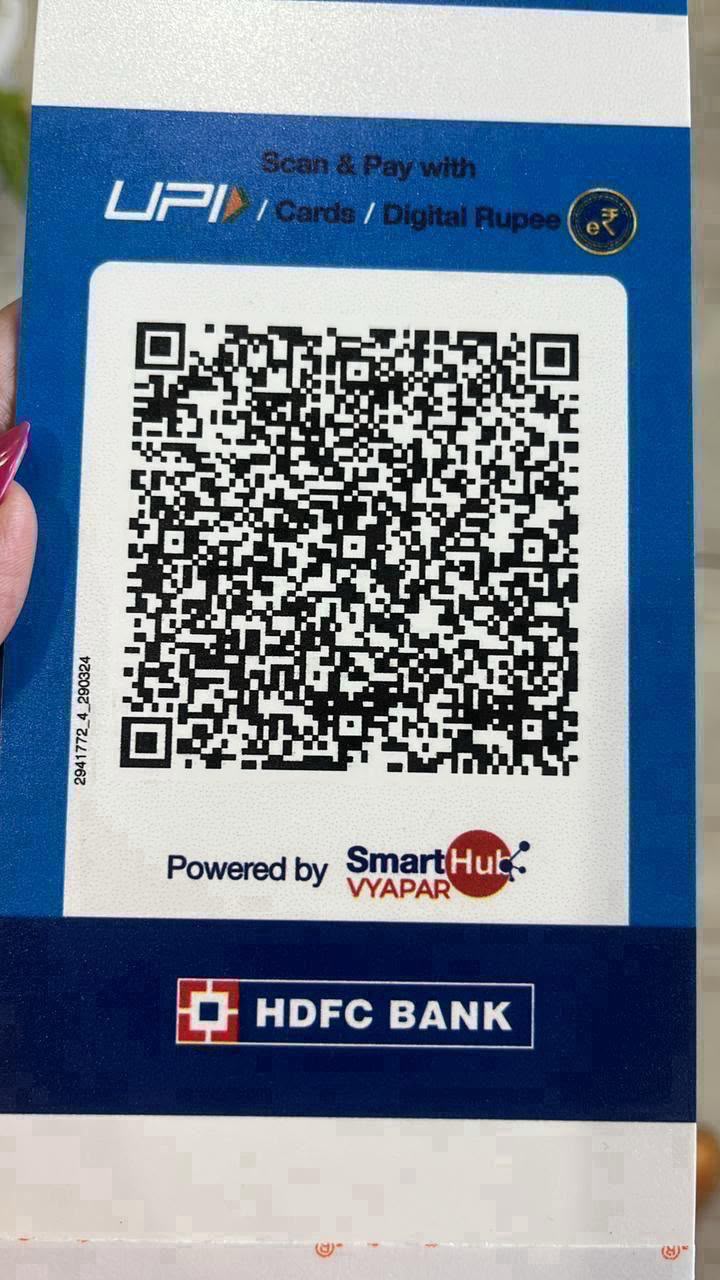
HDFC Bank • UPI / Cards / Digital Rupee
Or pay by bank transfer
- Account Holder
- BOLD AND SPIRITUAL
- Account Number
- 50200085219433
- IFSC Code
- HDFC0009522
- Bank
- HDFC Bank
- Branch
- OMAXE WORLD STREET, FARIDABAD
- Account Type
- Current Account
- 1Scan the QR code with any UPI app and pay the exact amount for your service.
- 2Copy the UTR / Transaction Reference Number from the payment receipt.
- 3Fill it in the form below and submit.
- 4Our team verifies the payment and confirms your booking on WhatsApp — usually within 24 hours.
Any trouble paying? Message us